Your Phone Is Now a Serious Hiking Tool
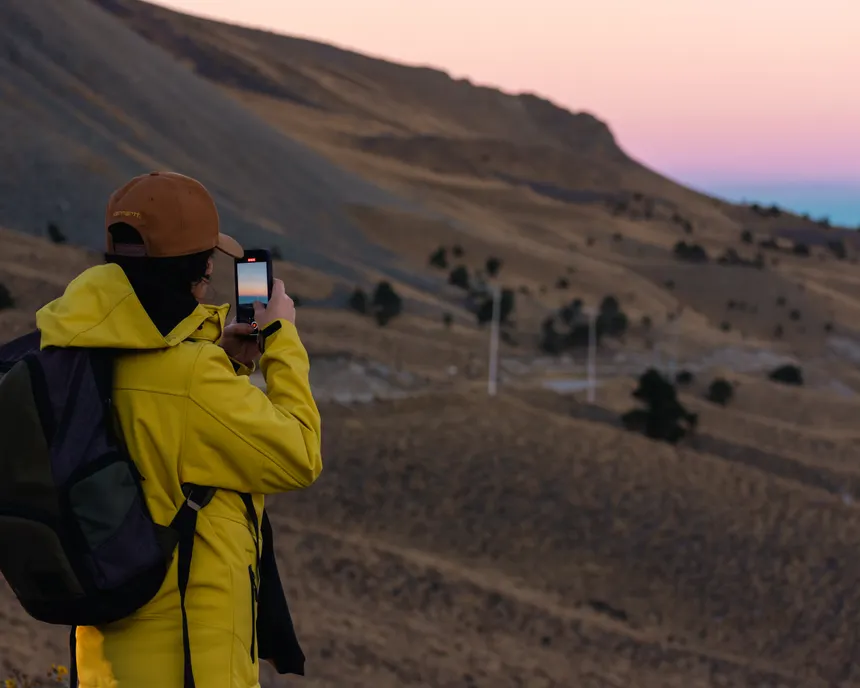
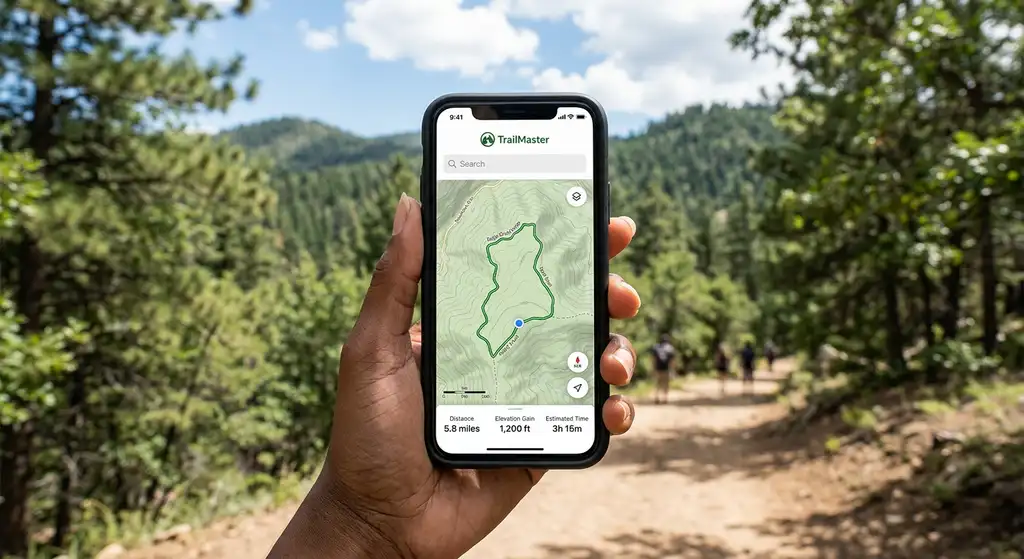
Five years ago, bringing your phone hiking meant a camera and maybe Google Maps to find the trailhead. Today, a phone with the right apps is a more capable navigation device than a dedicated GPS unit that cost $400 in 2015. The sensors are better, the maps are better, and the apps have been refined by millions of users reporting trail conditions in real time.
The caveat: a phone requires battery management, protection from the elements, and offline preparation. None of those challenges are insurmountable, and the capability trade-off is overwhelmingly in favor of the phone for most hikers. Here's the complete app setup.
Navigation Apps
AllTrails+, The Default for Most Hikers
AllTrails is the right starting point for any hiker who mostly stays on maintained trails in popular areas. The database of 400,000+ trails worldwide is the largest of any app. Community reviews, recent condition reports, and photos from the past week tell you whether the waterfall is actually flowing, whether snow is blocking the pass, and whether the parking lot fills by 7 AM on weekends. That information doesn't exist in any other app at the same density.
The AllTrails+ subscription ($35/year) adds offline maps and turn-by-turn navigation. Download the trail before you leave home, this is non-negotiable. Don't count on downloading in the field. The navigation works reliably on established trails; off-trail, the basemap thins out quickly.
Gaia GPS, For Serious Navigation
Gaia GPS ($39.99/year) is what you use when AllTrails reaches its limits. The map layer library includes USGS 7.5-minute topographic maps, satellite imagery, Forest Service road overlays, and a dozen regional specialist layers. The route planning tools are the best available on a phone. You can import GPX files from any source and follow them precisely.
The learning curve is real, Gaia rewards users who spend time with it. Start by learning how to download a custom region for offline use and how to overlay two map types. Once you understand those two functions, everything else clicks into place. For backcountry travel, Gaia is in a different category than AllTrails.
Komoot, For Route Planning and Discovery
Komoot's strength is route planning for point-to-point adventures. You define start and end points, specify your activity type and fitness level, and it generates a route with turn-by-turn navigation and a detailed elevation profile. The community highlights (notable viewpoints, technical sections, seasonal conditions) are integrated into the map. It's particularly strong in Europe but has solid North American coverage. For thru-hike planning and multi-day routes, Komoot's planning interface beats both AllTrails and Gaia.
Weather Apps
Mountain Forecast, For Elevation-Specific Weather
Mountain Forecast (mountainforecast.com, accessible as a web app or via browser) provides point forecasts at specific elevations for mountains worldwide. You select a peak, it gives you hour-by-hour temperature, wind, precipitation, and cloud cover at summit, mid, and base elevations. For alpine hikes, this is more useful than any general weather app because mountain weather doesn't follow valley patterns. Free to use.
Windy, Wind and Storm Visualization
Windy's app and website visualize wind patterns, storm systems, and precipitation in a way that makes weather readable at a glance. For hikers, the most useful feature is the gust overlay, see not just forecast wind speed but the gusts that actually knock you off balance on exposed ridges. The lightning strike overlay is invaluable for afternoon thunderstorm monitoring in the Rockies. Free with a premium tier for advanced features.
NOAA Weather, For US National Park Forecasts
The NOAA Weather app provides official National Weather Service forecasts including the zone forecasts that rangers use. For hikes in and around national parks, the park-specific forecasts are more reliable than consumer weather apps because they're written by meteorologists who know the local terrain effects. Free, works offline for recent downloads.
Safety and Emergency Apps
What3Words, For Precise Location Sharing
What3Words divides the world into 3-meter squares and assigns each a unique three-word address. Instead of GPS coordinates (which most people can't relay accurately under stress), you give a rescue team three simple words, like ///rapids.hikers.cliff, and they know your exact location. Many search-and-rescue teams now use it as standard protocol. Free app, works offline if you've downloaded the address database.
iNaturalist, For Plant and Wildlife Identification
Not a safety app in the traditional sense, but invaluable for identifying plants and animals. Point your camera at a plant, mushroom, or animal track, and iNaturalist's AI (backed by community verification) identifies it. For hikers learning plant identification, including identifying poisonous plants, this is the best tool available. Free.
The App Stack We Actually Recommend
Install these four, use them together, and your phone setup covers nearly everything you'll encounter on trail:
- AllTrails+trail finding, reviews, offline nav on established trails.
- Gaia GPSbackcountry navigation, topo maps, GPX import.
- Windyweather and storm monitoring.
- What3Wordsemergency location sharing.
Total cost: ~$75/year for two subscriptions and two free apps. That's cheaper than most single pieces of gear and more likely to actually save your trip or your life.
Battery Management for Phone-Based Navigation
GPS is a battery killer. Expect 20–30% per hour of active tracking with the screen on. For any hike over 4 hours: carry a portable battery (Anker PowerCore 10000 is the standard recommendation, 10,000mAh charges most phones 2.5 times, weighs 6 oz). Use airplane mode between waypoint checks to dramatically extend battery life, GPS still works in airplane mode. Download all maps before you leave service, and lock your screen when you don't need it.
Best Hiking Apps: Navigation, Weather, and Trail Finding FAQs
Yes, if you download maps before losing service. AllTrails+ and Gaia GPS both allow offline map downloads. The GPS chip in your phone works independently of cellular service, it receives satellite signals regardless of carrier coverage. Plan ahead: download your trail and surrounding area before leaving home.
AllTrails has a free tier that shows trail information, reviews, and maps, but requires a cell connection for map display. AllTrails+ ($35/year) adds offline maps, turn-by-turn navigation, and a few other features. For day hiking where you'll have some cell service, the free tier works. For reliable navigation, the subscription is worth it.
AllTrails has the best coverage and community reviews for national parks. Many parks also have their own official apps (the NPS has a general app that covers all parks). For navigation within park boundaries, AllTrails+ is the most practical option. Pair it with the park's official website for permit, fee, and road condition information.
Strava records your route and stats but isn't designed for trail navigation. It doesn't show detailed trail maps, offline downloads are limited, and the community feature set is focused on fitness metrics rather than trail conditions. Use Strava to record your hike if you want the activity log, but navigate with AllTrails or Gaia.
Most professional guides use Gaia GPS for its map depth and GPX route support, often supplemented with Caltopo for detailed planning on desktop before a trip. Commercial guiding companies often provide clients with printed topo maps as backup. For weather, mountain guides tend to rely on mountain-forecast.com and direct contact with local ranger stations over consumer apps.