The App You Choose Changes How You Hike
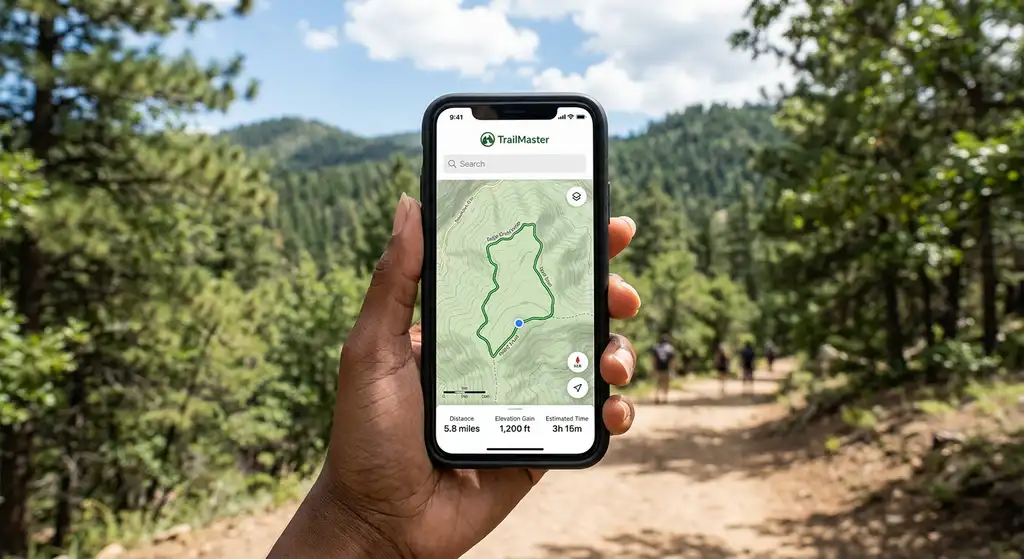
Your phone's GPS hardware is the same regardless of which app you run. What differs is the map data, the offline capability, the trail database, and how well the interface works when you're cold, tired, and need to make a quick decision. The wrong app doesn't get you lost, but the right one gets you unlost faster.
There are three apps worth serious consideration in recent years: AllTrails, Gaia GPS, and OnX Backcountry. Each has a distinct strength and a meaningful weakness. Here's the honest breakdown.
AllTrails
Best for: Finding trails, reading reviews, planning casual hikes.
AllTrails has the largest trail database of any hiking app, over 400,000 trails worldwide, and the community reviews are genuinely useful. You can see recent conditions, photos from the last week, and whether the trailhead is accessible. The interface is clean and approachable for new hikers, and the free tier gives you enough to plan most day hikes.
The AllTrails+ subscription ($35/year) adds offline maps and turn-by-turn navigation. The offline download is reliable, and the navigation works well on maintained trails with clear paths. Where it struggles is off-trail navigation and in areas where the map data is thin. The basemap is OpenStreetMap-derived, which is excellent in popular areas and sparse in remote backcountry.
What it's missing: Detailed topographic layers, land ownership data, and the precision navigation that technical route-finding demands. If you leave the trail, AllTrails gets vague quickly. The routing on trail is good; off trail, it's essentially just a GPS dot on a map.
Gaia GPS
Best for: Backcountry navigation, overlanding, and anyone who needs serious map data.
Gaia GPS is what serious hikers, hunters, and search-and-rescue teams use when navigation matters. The map layer library is enormous, USGS 7.5-minute topo maps, satellite imagery, Caltopo layers, Forest Service roads, NWS weather overlays, and dozens of regional layers. You can overlay multiple maps, compare current and historical imagery, and download areas at multiple zoom levels for comprehensive offline coverage.
The Gaia GPS Premium subscription ($39.99/year) unlocks the full layer library, sync across devices, and offline downloads. The interface is less approachable than AllTrails, there's a learning curve, but once you understand how layers and routes work, it's more powerful than anything else on the market.
The track recording is excellent. You can import and export GPX files easily, which matters if you're using routes from sources like Caltopo, Komoot, or route files shared by guides and outfitters. The route-planning tools on desktop (via the web app) are genuinely good.
What it's missing: Trail community reviews and recent conditions data. You won't know from Gaia if the trail was underwater last week. Use it alongside a quick AllTrails check for popular trails, or the ranger station for remote routes.
OnX Backcountry
Best for: Hunters, backcountry skiers, and anyone who needs land ownership boundaries.
OnX built its reputation with OnX Hunt, the definitive land ownership app for hunters. OnX Backcountry applies the same land data to hiking, skiing, and adventure sports. The key differentiator is property boundary data, you can see exactly where public land ends and private land begins, down to the parcel level. That's invaluable in the West where checkerboard land ownership creates confusing access situations.
The basemap quality is excellent, high-resolution topo layers, slope angle shading for avalanche awareness, satellite imagery, and road/trail data. The offline maps are reliable and the app handles large area downloads without issues.
OnX Backcountry costs $29.99/year, making it the cheapest of the three premium options. If you don't need the land data, Gaia is probably more useful. If you hike in areas with complex public/private land access, OnX is the one.
What it's missing: The trail community database that AllTrails has, and some of the advanced map layer options in Gaia. It's a specialized tool that excels at its specialty.
Side-by-Side Comparison
- Trail database: AllTrails wins, 400k+ trails with community reviews and photos.
- Backcountry navigation: Gaia GPS wins, best map layers, GPX import, topo depth.
- Land ownership data: OnX wins, no competitor comes close.
- Offline reliability: All three are solid. Gaia offers the most flexibility in what you download.
- Beginner friendliness: AllTrails wins, the interface is the most intuitive by far.
- Price: OnX is cheapest ($30). AllTrails ($35) and Gaia ($40) are similar.
- Desktop planning: Gaia's web app is the best planning environment. AllTrails web is decent.
What Most Hikers Should Use
For 80% of hikers doing established trails in popular areas: AllTrails+ is the right answer. The trail database, community photos, and offline navigation cover everything a casual to intermediate day hiker needs. Download your trail before you leave cell service, follow the route, read reviews to set expectations.
If you do off-trail travel, remote backpacking, or backcountry skiing: add Gaia GPS. It doesn't need to replace AllTrails, use both. AllTrails to find and preview trails, Gaia for actual navigation when precision matters.
If you hunt or hike in states with checkerboard land ownership: OnX Backcountry belongs on your phone.
What to Look For in Trail Maps
Every one of these apps sells itself on the great outdoors and none of that matters at the junction. The map is the product. Everything else is packaging. Four things separate a map you can navigate from a map you can only look at.
Contour lines. Most US topo layers draw them every 40 feet. Packed tight, they mean a climb steep enough to change your day, and a quarter mile that crosses fifteen of them is a scramble, not a walk. AllTrails shades terrain by default and hides the numbers, so if you read contour lines to judge a climb, switch to a real topo layer in Gaia or OnX.
Points of interest. Water sources, privies, junctions, campsites, viewpoints. Gaia and OnX carry them on the map itself. AllTrails buries most of them in reviews, which means reading three months of comments to learn whether the spring is running.
Filters that match how you hike. AllTrails is the only one of the three with filters worth using on the trail database: dog friendly, kid friendly, wheelchair accessible, loop versus out and back. If you hike with a dog, that filter alone pays for the subscription, because leash rules and paw-shredding talus never make it into the trail name.
Coverage where you are actually going. All three are strongest on US hiking trails. For apps for trekking abroad, AllTrails has the deepest database in the Alps and the Dolomites, Gaia has better raw topo for Patagonia and the Andes, and both thin out fast in Central Asia and most of Africa. Check your specific range in the free tier before you pay.
Two things no app replaces. Printed maps still belong in the pack: a paper quad in a ziplock weighs an ounce and does not care about battery, water or a dropped phone. And recent conditions travel faster on social media than in any trail database, so a park's Instagram or a regional Facebook group will tell you a bridge is out days before the trail page catches up.
Don't Forget the Basics
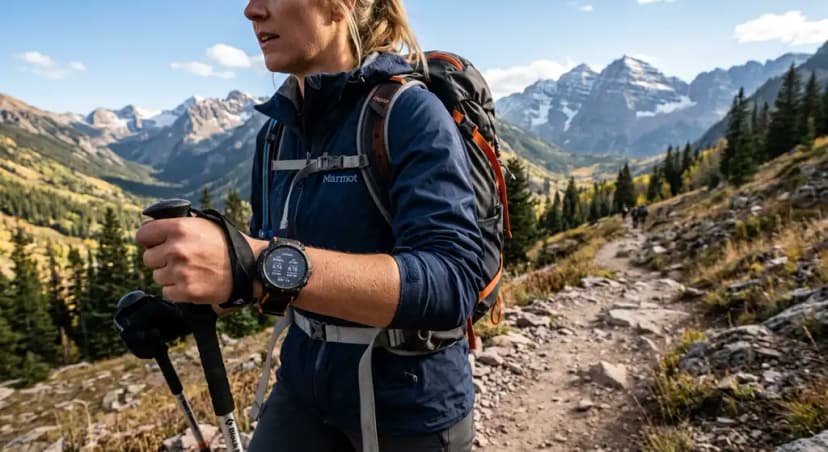
Every app on this list requires a charged phone and works better with an external battery. Download maps before you leave home, never rely on downloading in the field. Cell service is not the same as GPS signal; your GPS will work without service, but map tiles won't load if you didn't cache them. And if you're doing serious backcountry travel, a dedicated GPS device like the Garmin inReach Mini is a safety layer that no phone app replaces.
Best Hiking Apps: AllTrails vs Gaia GPS vs OnX Backcountry FAQs
Yes, with AllTrails+ ($35/year). You download the trail map to your phone before leaving service, and the GPS tracking and map display work offline. The community reviews and trail search require a connection, but navigation works without one.
For different things. Gaia is better for serious navigation, backcountry routes, and map depth. AllTrails is better for discovering trails, reading recent conditions from other hikers, and general day hiking. Many serious hikers use both.
For trailhead directions, yes. For actual trail navigation, no. Google Maps has poor trail data in most areas, doesn't show terrain clearly, and lacks the offline precision hiking apps provide. Use it to drive to the trailhead, then switch to a hiking app.
Yes, GPS tracking is a significant battery drain, expect 20–30% per hour with the screen on and GPS active. Use airplane mode to save battery while keeping GPS active. Bring a portable battery pack on any hike over 4 hours. Consider a dedicated GPS device for multi-day trips.
AllTrails free tier is the best no-cost option, it shows trail maps, reviews, and photos, and the GPS tracking works for basic use. The free tier doesn't include offline maps or turn-by-turn navigation, so you need cell service. For backcountry use, the free tier of Gaia GPS provides access to USGS topo maps.
Yes. The worked day-by-day plan is White Sands National Park: A Backcountry Weekend Itinerary (2 Days), with the permits, the stays and the drive times already sorted. Tell us your dates and we will put it together for you and confirm what is genuinely open on those days. Asking is free: no card, no deposit, and nothing is held until you say yes.